.png)
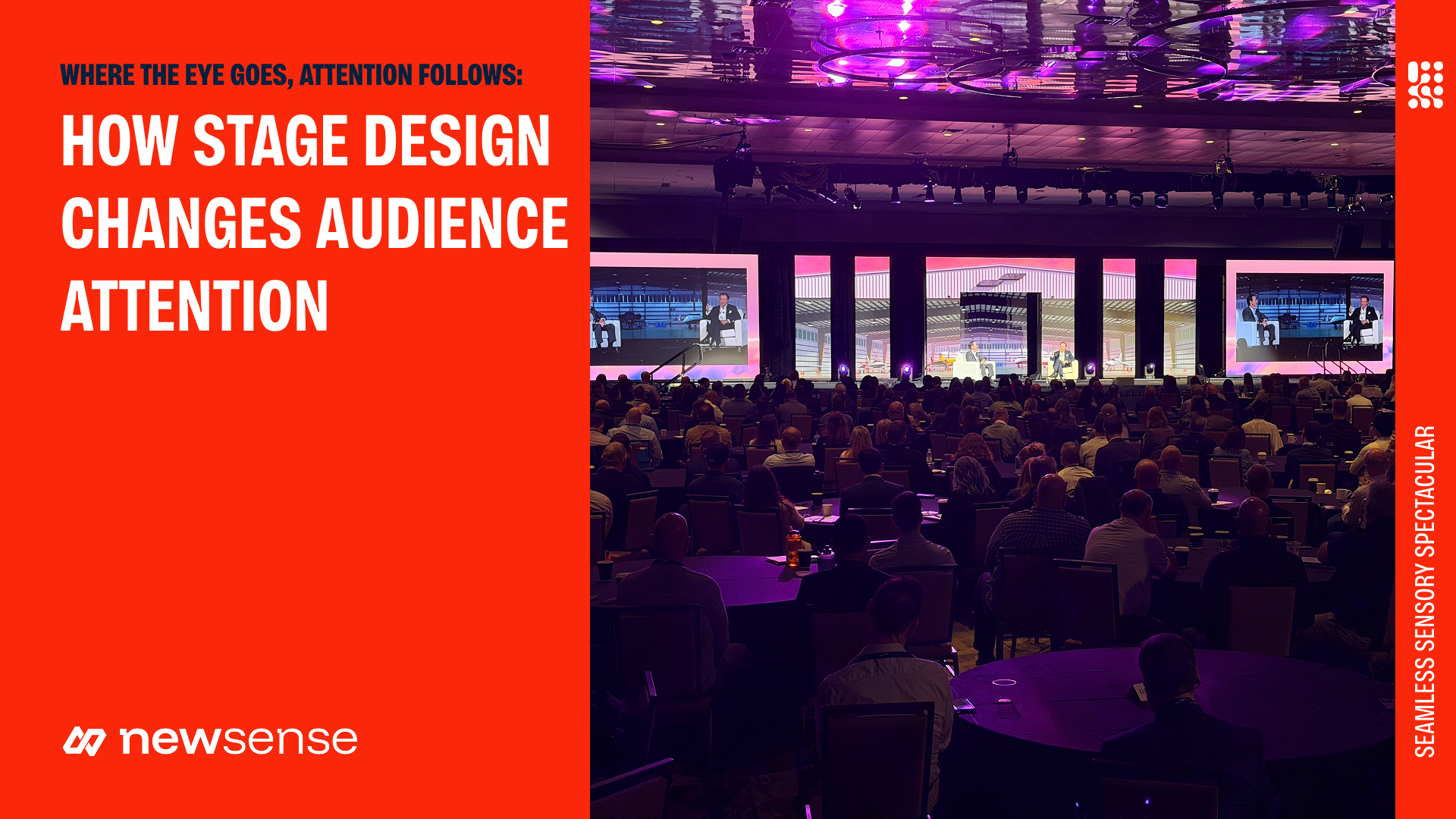
Your product leader is explaining a new feature. Behind them, an animated brand sequence fills the LED wall. A demonstration appears on one side of the stage, while the audience seated on the opposite side tries to read the interface.
There are several places to look, and the design gives each one similar emphasis.
For a marketing team, that creates a communication problem. The presentation may contain exactly the right information, yet the room makes it difficult to follow.
Corporate stage design influences where people look and what they can comfortably see. Screen content, lighting, and presenter placement work together to establish that focus. When those choices reflect the program, the audience has a clearer path through the presentation.
Decide what deserves attention at each moment
A stage serves different purposes throughout an event. An opening sequence might fill the room with movement and color. During an executive address, the speaker may need to hold attention with very little happening behind them. A product demonstration requires the audience to see enough detail to understand the feature.
The design needs to accommodate those changes.
Before reviewing a stage concept, identify the moments that carry the most important messages. For each one, decide where the audience should be looking and what they need to see there.
Consider a product launch. The opening film establishes context. The presenter explains the customer problem. The demonstration shows how the product addresses it. Each part calls for a different visual treatment, even though all three use the same stage.
Ask the creative team to show how the concept behaves across that sequence. A rendering of the opening look can help establish the direction. Reviewing the presentation states reveals whether the design supports the event you are actually producing.
Review sightlines from the seats you are selling or assigning
The view from the center of the room is only one attendee’s experience.
People near the edges may see a screen at an angle. A scenic element can obscure the presenter from certain seats. In a room with flat seating, audience members themselves become part of the sightline calculation.
Review the proposed stage alongside the seating layout. Ask what attendees can see from the back, the outer edges, and any areas affected by columns or other obstructions. Include accessible seating positions in that review.
The content matters here. A speaker’s name may remain readable at a distance where a chart label or software menu becomes difficult to distinguish. Share representative slides and demonstrations with the design team before screen sizes and locations are finalized.
For marketing and event leaders, this is a useful approval question: can people in every planned seating area follow the content that matters most?
If the answer depends on changing the presentation, identify that work early. The solution could involve simplifying a slide, enlarging the relevant part of a demonstration, or reconsidering screen placement.
Give the LED wall an editorial role
An LED wall provides a large visual surface. The team still needs to decide what belongs on it.
A wide canvas can carry a strong opening, frame a presenter, or provide space for supporting information. It can also create competing focal points when animation, text, and live video appear at once.
Treat screen content as part of the presentation’s editorial plan. Decide what the audience needs at each point and how much visual information the moment can support.
During a detailed explanation, a restrained background may give the speaker and supporting slide enough room. When the program moves to a performance or a reveal, motion and scale can take a more prominent role.
Content should be designed for the approved screen layout. A standard presentation deck may need adaptation for an unusually wide or segmented display. Important information should remain together and clear of areas where presenters are likely to stand.
Include that adaptation in the scope. A stage concept is easier to evaluate when the proposal explains who will create the content that makes it work.
Use lighting to support the presenter’s role
An executive delivering a sensitive business update needs the audience to see their face and follow their expression. A panel requires several people to remain visible as the conversation moves between them.
Those needs should guide the lighting plan.
Discuss how presenters will use the space. Will they stay at a lectern, move freely, or join someone else for a demonstration? Lighting needs to cover those positions so that movement does not take a speaker out of view.
The relationship with the screens matters too. A bright background can draw attention away from a presenter. Review the lighting and screen content together, using the looks intended for the actual session.
If the event will be filmed, include the camera view in this review. The live audience and the recording both need a usable view of the speaker, and choices made for one can affect the other.
Build flexibility around the agenda
A stage that works for a keynote may need adjustments for a panel or a team recognition moment.
Furniture, presenter positions, and the number of people onstage all change how the space is used. A panel needs a layout that supports conversation while keeping participants visible to the room. A demonstration may require a work surface and a clear camera view of the product.
Walk through these formats before approving the design. Consider how the team will move between them, including where furniture comes from and how much time the change requires.
Transitions affect the audience’s attention as well. If the crew is moving chairs while an executive begins speaking, the room has two activities to follow. The running order should provide space for the change or give the audience an intentional focus while it happens.
This planning also helps protect the agenda. The event team can account for physical changes before the schedule is distributed and difficult to revise.
Make the brand recognizable through consistent choices
The stage is a prominent expression of the company’s brand. Its design should feel connected to the message and the setting.
That connection can come through in color, typography, materials, and the style of motion on screen. The appropriate treatment depends on the event. An internal leadership meeting and a public product launch may share an identity while requiring different levels of visual intensity.
Give the design team more than a logo file. Share the purpose of the event, the tone of the presentations, and any campaign materials attendees will encounter before or afterward.
Then review the concept as a whole. Do the screen graphics belong with the scenic treatment? Does the visual style suit the content leadership will deliver? Will photographs of the stage feel consistent with the company’s other communications?
A considered set of choices gives the event a recognizable identity without requiring branding to occupy every available surface.
Ask to see the design under real program conditions
Before approving a corporate stage design, ask the production partner to demonstrate how it handles a few representative moments:
- An executive speaking with minimal supporting content.
- A detailed slide or product demonstration.
- A panel or other session involving several people.
- A transition that changes the stage setup.
For each, review the audience’s focal point, the views from different seating areas, and the content required on screen.
Use the same discussion to clarify scope. Confirm who is responsible for adapting presentations, developing motion graphics, and coordinating the design with lighting and video. Those responsibilities affect whether the approved concept can be delivered as intended.
If the budget needs adjustment, evaluate the consequences against the program. Simplifying a scenic treatment may preserve the intended experience. Reducing the visibility of essential content changes what attendees can understand. Your production partner should be able to explain those tradeoffs in terms your team can use.
Discuss your stage design with New Sense
At New Sense, the creative conversation starts with what your audience needs to experience and understand.
Share your venue, expected audience size, and initial program with us. If you already have presentation content or a creative direction, bring those too. Together, we can explore a stage design that expresses your brand and gives each part of the program a clear place in the room.